How to Invoice as a Freelancer in the Netherlands — Complete Guide (2026)
Everything expats and foreign freelancers need to know about invoicing in the Netherlands: VAT rates, KvK number, iDEAL payment links, and Dutch legal requirements.

How to Invoice as a Freelancer in the Netherlands — Complete Guide (2026)
Starting as a freelancer in the Netherlands is straightforward — but the invoicing rules can feel unfamiliar if you come from another country. Dutch invoices have specific legal requirements, VAT obligations, and local payment methods that differ from what you may be used to.
This guide covers everything you need to know: what goes on a Dutch invoice, which VAT rate to use, how to deal with the KvK and BTW numbers, and how to get paid faster using iDEAL payment links.
Whether you just registered as a ZZP'er or you have been freelancing in the Netherlands for a while, this guide gives you a complete, practical overview.
What is a ZZP'er?
In the Netherlands, freelancers and self-employed professionals are called ZZP'ers — short for zelfstandige zonder personeel, meaning "self-employed without staff". As a ZZP'er, you work without an employment contract, take on projects at your own risk, and are responsible for your own taxes and administration.
To legally work as a ZZP'er, you need to register your business with the Kamer van Koophandel (KvK) — the Dutch Chamber of Commerce. Registration is free for sole proprietors (eenmanszaak) and takes about 15 minutes online or in person.
Once registered, the KvK shares your details with the Belastingdienst (Dutch Tax Authority), which will send you your BTW identification number (VAT number) within two weeks. You need both the KvK number and the BTW number before you can send your first legal invoice.
What Must Be on a Dutch Invoice?
Dutch law sets out exactly what every invoice must include. Missing any of these elements means the invoice is legally incomplete — your client may reject it, or the Belastingdienst may flag it during an audit.
Your business details
- Full business name or your own name (as registered with the KvK)
- Business address
- KvK number (8 digits, e.g.
KvK: 12345678) - BTW identification number (format:
NL123456789B01)
Client details
- Full company name or personal name of your client
- Client's address
- Client's VAT number — required if invoicing a VAT-registered business in another EU country
Invoice details
- A unique, sequential invoice number (e.g.
2026-001) - Invoice date
- A clear description of the services or products delivered
Amounts
- Subtotal excluding VAT
- VAT rate (0%, 9%, or 21%) and the VAT amount as a separate line
- Total including VAT
Payment details
- Your IBAN bank account number
- Payment term (e.g. "Payment due within 30 days" or a specific date)
Tip: In Declair, all required fields are built into the invoice template. You cannot accidentally forget your KvK number or BTW number.
VAT Rates in the Netherlands
As a Dutch freelancer, you apply one of three VAT rates depending on what you deliver:
| Rate | When it applies |
|---|---|
| 21% | Most services — IT, software development, design, consulting, marketing, writing, photography, coaching, legal services |
| 9% | Specific goods and services — food, non-alcoholic drinks, books, medicine, hairdressing, bicycle and shoe repairs |
| 0% | Exports outside the EU, and services to VAT-registered businesses in other EU countries (reverse charge) |
Most expat freelancers working in professional services charge 21% VAT.
Not sure which rate applies to you?
The Belastingdienst publishes a complete list of VAT-exempt and reduced-rate services at belastingdienst.nl (also available in English at business.gov.nl).
Your Two BTW Numbers — and Which One to Use
This is one of the most common points of confusion for new ZZP'ers in the Netherlands. As a sole proprietor (eenmanszaak), you actually receive two different BTW numbers:
| Number | Format | Used for |
|---|---|---|
| BTW identification number | NL123456789B01 | All invoices and client communication |
| BTW tax number | Different format | Communication with the Belastingdienst only |
Always use the BTW identification number on your invoices. Never put the BTW tax number on an invoice — that number is only for filing your VAT returns.
A Practical Invoice Example
Here is what a correct Dutch freelancer invoice looks like:
INVOICE

From:
Jane Smith — Freelance UX Design
Voorbeeldstraat 12, 1234 AB Amsterdam
KvK: 87654321
BTW: NL987654321B01
IBAN: NL00 BANK 0000 0000 00

To:
Acme B.V.
Klantenstraat 5, 5678 CD Rotterdam

Invoice number: 2026-007
Invoice date: 14 February 2026
Payment due: 16 March 2026

---

Description                              Hours    Rate       Amount
UX design — checkout flow redesign         12    €110,00    €1.320,00
---
Subtotal (excl. VAT)                                        €1.320,00
VAT 21%                                                       €277,20
Total (incl. VAT)                                           €1.597,20

Please transfer €1.597,20 to IBAN NL00 BANK 0000 0000 00
before 16 March 2026, quoting invoice number 2026-007.
Notice that the VAT amount is shown as a separate line — this is a legal requirement in the Netherlands. An invoice that shows only a total amount without breaking out the VAT is not legally valid.
Quarterly VAT Returns
As a Dutch ZZP'er, you are required to file a VAT return (BTW-aangifte) every quarter, unless you are exempt under the KOR scheme.
The quarterly deadlines are:
| Quarter | Period | Filing deadline |
|---|---|---|
| Q1 | January – March | 30 April |
| Q2 | April – June | 31 July |
| Q3 | July – September | 31 October |
| Q4 | October – December | 31 January |
You file your VAT return through the Mijn Belastingdienst Zakelijk portal (available in Dutch only — most expats use a tax advisor or an accountant for this step).
In your VAT return, you report:
- Output VAT — the VAT you charged your clients
- Input VAT — the VAT you paid on business expenses (which you can reclaim)
- VAT balance — the difference you pay to or reclaim from the Belastingdienst
A good invoicing tool like Declair automatically generates a VAT overview per quarter, so you always have the right numbers ready when it is time to file.
The KOR — Small Business VAT Exemption
If your annual turnover in the Netherlands is below €20,000, you can apply for the KOR (Kleineondernemersregeling) — the Small Business Scheme.
Under the KOR:
- You do not charge VAT to your clients
- You do not file quarterly VAT returns
- You cannot reclaim VAT on your business expenses
If you are on the KOR, write the following on your invoices instead of a VAT amount:
VAT exempt under Article 25 Dutch VAT Act (KOR)
The KOR is worth considering if you are just starting out and your costs are low. Once your turnover exceeds €20,000, you must opt out and start charging VAT.
Invoicing Clients in Other EU Countries
If you invoice a VAT-registered business in another EU country (for example, a German or Belgian company), different rules apply:
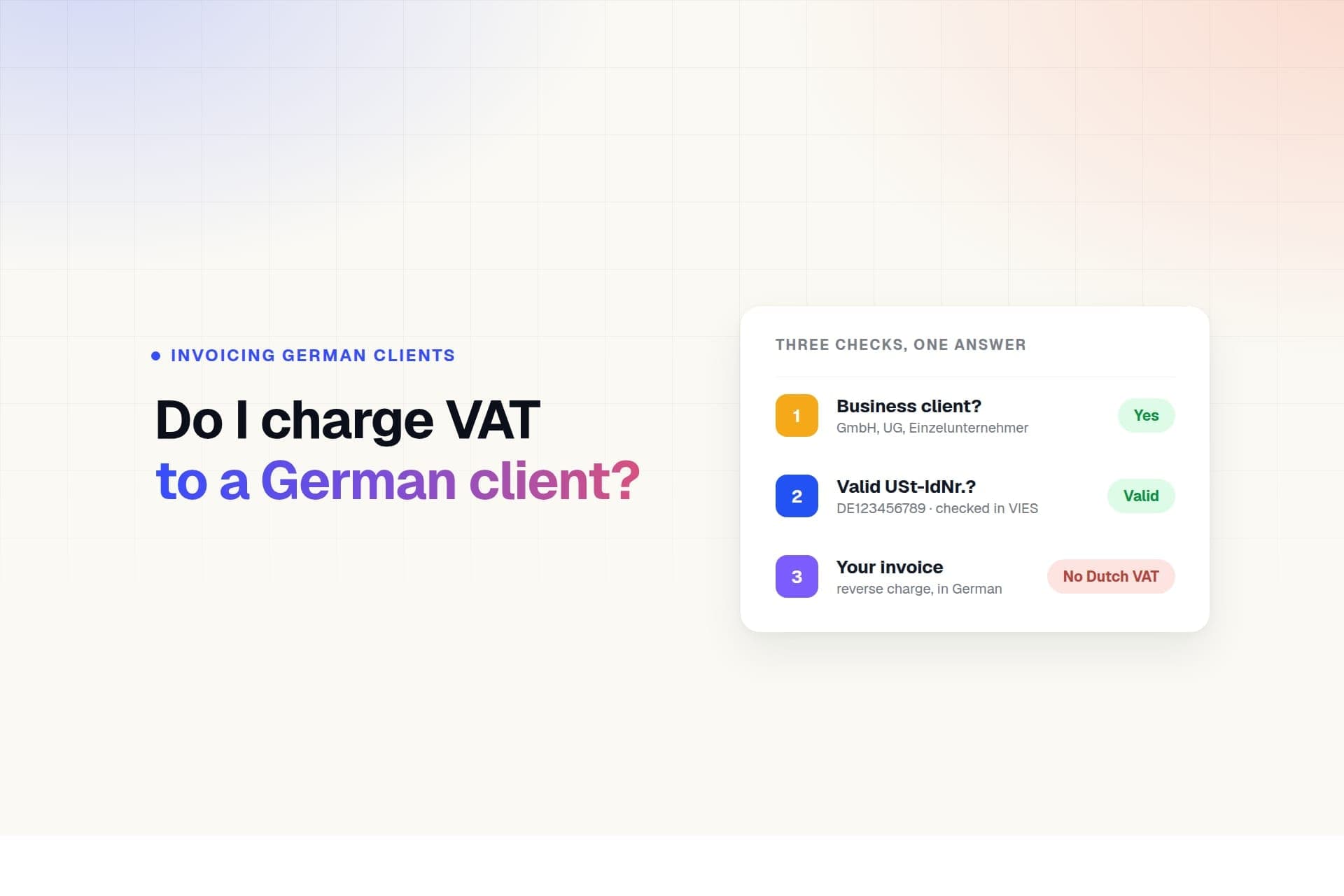
- You charge 0% VAT (not 21%)
- You apply the reverse charge mechanism — your client accounts for the VAT in their own country
- You must include your client's VAT number on the invoice
- You write: "VAT reverse charged" or "BTW verlegd" on the invoice
- You need to file an ICP declaration (Opgaaf ICP) each quarter with the Belastingdienst
If your client is a private individual in another EU country (not a business), different rules apply — you generally charge Dutch VAT in that case.
How to Get Paid Faster — iDEAL and Wero Payment Links
One of the most effective things you can do as a freelancer in the Netherlands is add a payment link to your invoice.
iDEAL
iDEAL is used for over 70% of all online payments in the Netherlands. Every major Dutch bank supports it — ABN AMRO, ING, Rabobank, SNS, Triodos, Bunq, and many others.
When you add an iDEAL payment link to your invoice, your client can pay with a single click from their banking app. No manual IBAN entry, no searching for the invoice later. The payment is processed instantly.
Freelancers who use iDEAL payment links get paid an average of 11 days faster than those who only provide an IBAN.
Wero
Wero is a newer European payment network, launched in 2024 by a consortium of banks including ING, ABN AMRO, BNP Paribas, and Deutsche Bank. Unlike iDEAL, which only works in the Netherlands, Wero works across multiple EU countries — including Belgium, Germany, and France.
If you have clients outside the Netherlands, Wero is a convenient alternative that your European clients will already recognise from their own bank.
Setting up payment links in Declair
Both iDEAL and Wero payment links work through Mollie, a Dutch payment provider. Setting up takes about 10 minutes:
- Create a free Mollie account at mollie.com
- Verify your KvK number and IBAN
- Copy your live API key from the Mollie dashboard
- Paste it in Declair under Settings → Payments
From that point on, every invoice you send automatically includes a payment button and a QR code for mobile payment.
Cost per iDEAL transaction: €0.29 via Mollie. Declair charges no additional transaction fees.
Automatic Payment Reminders
Even with a payment link, some invoices go unpaid past the due date. Chasing clients manually is awkward — automatic reminders handle it for you.
In Declair Professional, you can set up a sequence of automatic reminders that resend the payment link each time:
| Reminder | Timing | Tone |
|---|---|---|
| Friendly reminder | 3 days before due date | Informative |
| First reminder | 7 days after due date | Neutral, professional |
| Second reminder | 14 days after due date | More formal |
| Final notice | 30 days after due date | Formal, mentions next steps |
Each reminder is sent automatically, in Dutch or English depending on your settings, with the payment link included.
Invoice Software for Freelancers in the Netherlands
You can create invoices in Word or Excel, but invoicing software makes the process faster and reduces the risk of legal errors. For freelancers in the Netherlands, you need software that supports:
- Dutch VAT rates (0%, 9%, 21%)
- KvK and BTW number fields
- iDEAL payment links
- Quarterly VAT overviews
- Dutch invoice numbering requirements
Most Dutch invoicing tools are available in Dutch only. Declair is the only Dutch invoicing platform with a full English interface, making it the natural choice for expat freelancers who need to comply with Dutch law without navigating a Dutch-language tool.
Start free with Declair → — no credit card required, free plan includes up to 5 invoices per month.
Common Mistakes to Avoid
Missing your BTW identification number
Every invoice must show your BTW identification number. Without it, your client cannot reclaim the VAT, and they will likely send the invoice back.
Showing only the total amount
You must always show the subtotal excluding VAT, the VAT amount, and the total including VAT as three separate lines. A single total is not legally valid.
Using the wrong invoice number format
Invoice numbers must be unique and sequential across your entire administration — not per client. Starting over at 001 for each new client creates duplicate numbers in your records.
Sending the invoice too late
Dutch law requires invoices to be sent no later than the 15th day of the month following the month of delivery. Waiting too long can create problems with your quarterly VAT return.
Not knowing your VAT obligations as an expat
As a freelancer registered in the Netherlands, you follow Dutch tax law regardless of your nationality or where your clients are based. If you are unsure about your specific situation — particularly if you have clients in multiple countries — a Dutch tax advisor can clarify your obligations quickly.
Summary — Invoice Checklist for Freelancers in the Netherlands
Before sending any invoice, check that it contains:
YOUR DETAILS
☐ Business name or your full name
☐ Business address in the Netherlands
☐ KvK number (8 digits)
☐ BTW identification number (NL...B01)

CLIENT DETAILS
☐ Client's full name or company name
☐ Client's address
☐ Client's VAT number (required for EU business clients)

INVOICE DETAILS
☐ Unique, sequential invoice number
☐ Invoice date
☐ Clear description of services or products delivered

AMOUNTS
☐ Subtotal excluding VAT
☐ VAT rate and VAT amount shown separately
☐ Total including VAT

PAYMENT
☐ Your IBAN bank account number
☐ Payment due date
☐ iDEAL or Wero payment link (optional but recommended)

EXCEPTIONS (if applicable)
☐ KOR exemption text if you are VAT-exempt
☐ "VAT reverse charged" + client VAT number for EU business clients
Frequently Asked Questions
Do I need a KvK number to invoice clients in the Netherlands?
Yes. To legally invoice clients as a freelancer in the Netherlands, you must first register with the Kamer van Koophandel (KvK). Registration is free for sole proprietors. Once registered, you receive a KvK number and a BTW identification number, both of which are required on every invoice.
What VAT rate do I charge as a freelancer in the Netherlands?
Most freelancers in services such as IT, design, consulting, marketing, writing, and photography charge 21% VAT. The 9% rate applies to specific goods and services. The 0% rate applies to exports outside the EU and to services delivered to VAT-registered businesses in other EU countries.
What is a BTW number and do I need it on every invoice?
BTW is the Dutch term for VAT. As a ZZP'er you have two BTW numbers: your BTW identification number (used on invoices, format: NL123456789B01) and your BTW tax number (used only with the Belastingdienst). Always use your BTW identification number on invoices.
Can I invoice in English as a freelancer in the Netherlands?
Yes. Dutch law does not require invoices to be written in Dutch. You can invoice in English, German, or any other language, as long as all required fields are present.
What is the KOR scheme and does it apply to me?
The KOR allows freelancers with annual turnover below €20,000 to be exempt from charging VAT. If you opt in, you do not charge VAT and do not file quarterly VAT returns — but you also cannot reclaim VAT on your business expenses.
How do I invoice a client in another EU country?
When invoicing a VAT-registered business in another EU country, apply the 0% VAT rate with the reverse charge mechanism. Include your client's VAT number and write "VAT reverse charged" on the invoice. You also need to file an ICP declaration each quarter.
What is iDEAL and how does it work on a Dutch invoice?
iDEAL is the most widely used online payment method in the Netherlands. Adding an iDEAL payment link to your invoice lets your client pay instantly from their banking app. Freelancers who use payment links get paid an average of 11 days faster.
How long do I need to keep invoices in the Netherlands?
Dutch law requires you to keep all invoices and financial records for at least 7 years. For real estate-related documents, the retention period is 10 years. Digital storage is allowed as long as records remain accessible and readable.
New to freelancing in the Netherlands? Also read our guide on Dutch VAT for freelancers or compare the best invoicing tools that support Dutch law.
Ready to get started?
Start today with Declair and save hours on your administration.